
Brief understanding
Mindgrads
Your brief is checked against your sources before you payGeneric chat
Manual prompting and repeated context setup
AI assignment builder
Upload your brief and readings. Mindgrads finds the academic papers you are missing, writes every section with citations you can check, and shows the price and word count before you pay. Then you edit, check and export.
Free plan: 50 credits a month, enough for one complete build. No card needed.
4 steps
from brief to a cited draft
Your sources
cited in every section
Private
to your account
Related outputs
Add your brief, then any readings, notes or links you want used. They stay private to the project.
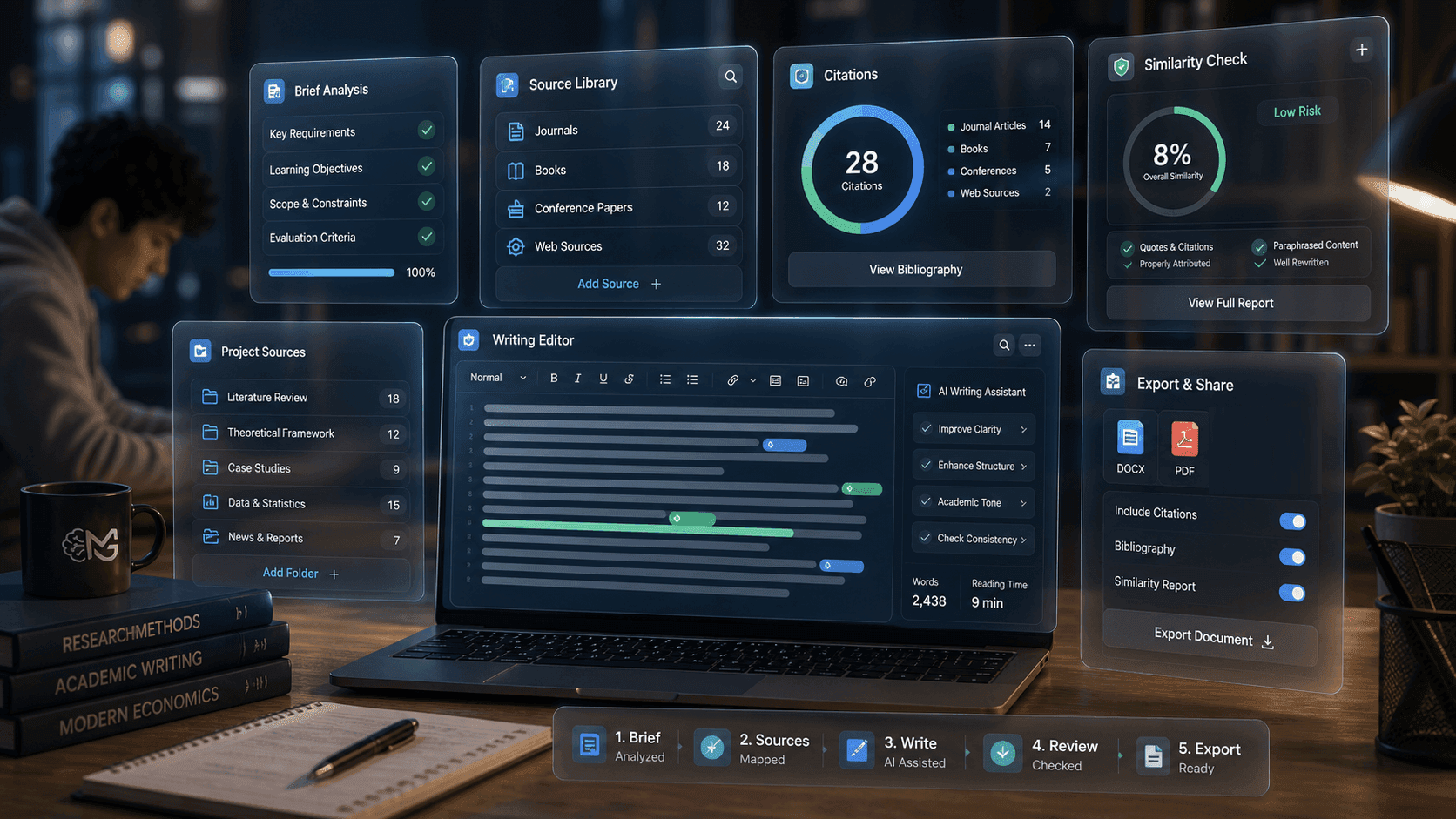
A free check of your brief against your sources: coverage, usable sources, the word range and the price.
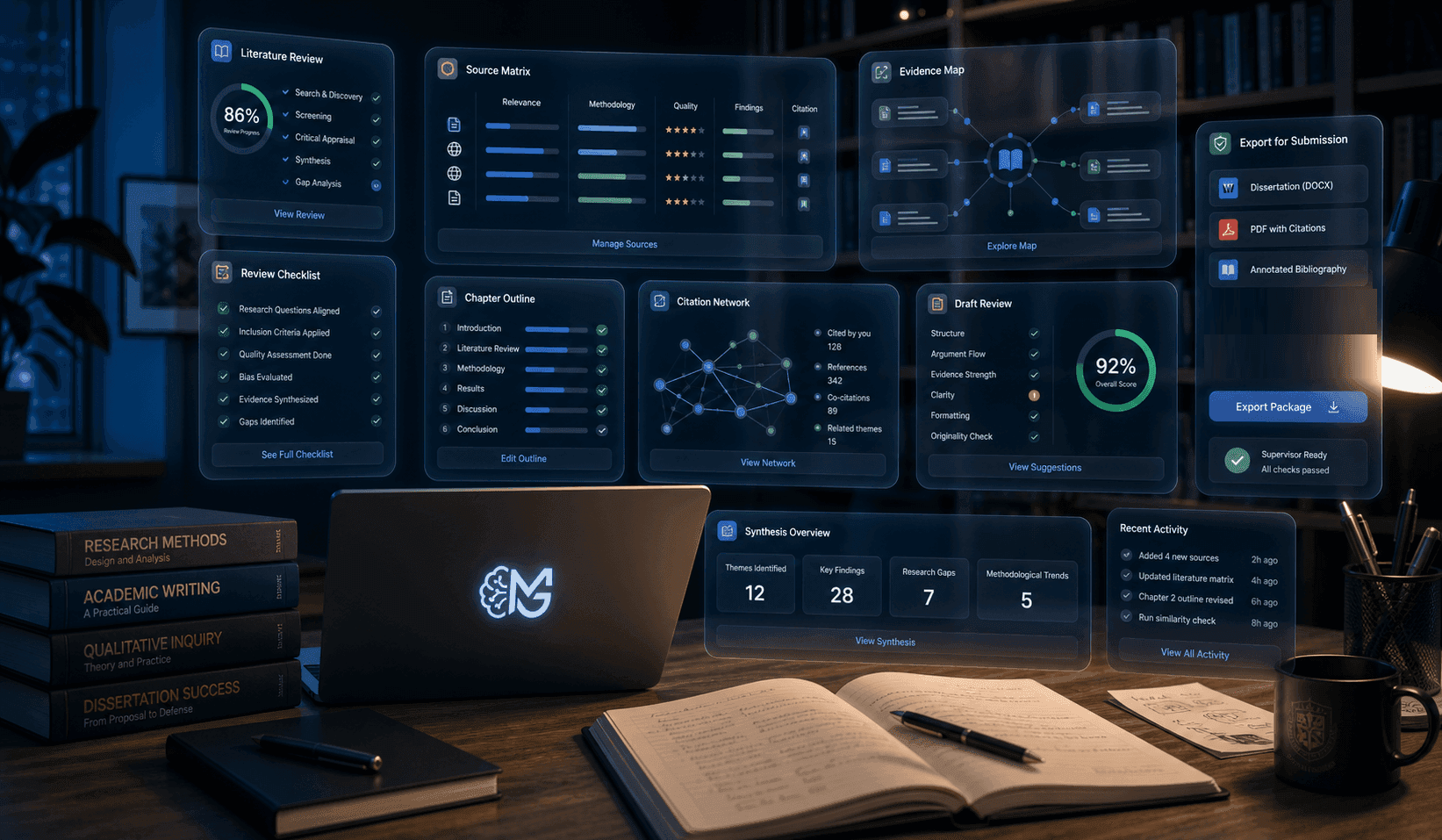
One confirmation writes every section to your word target, with citations, while you get on with something else.
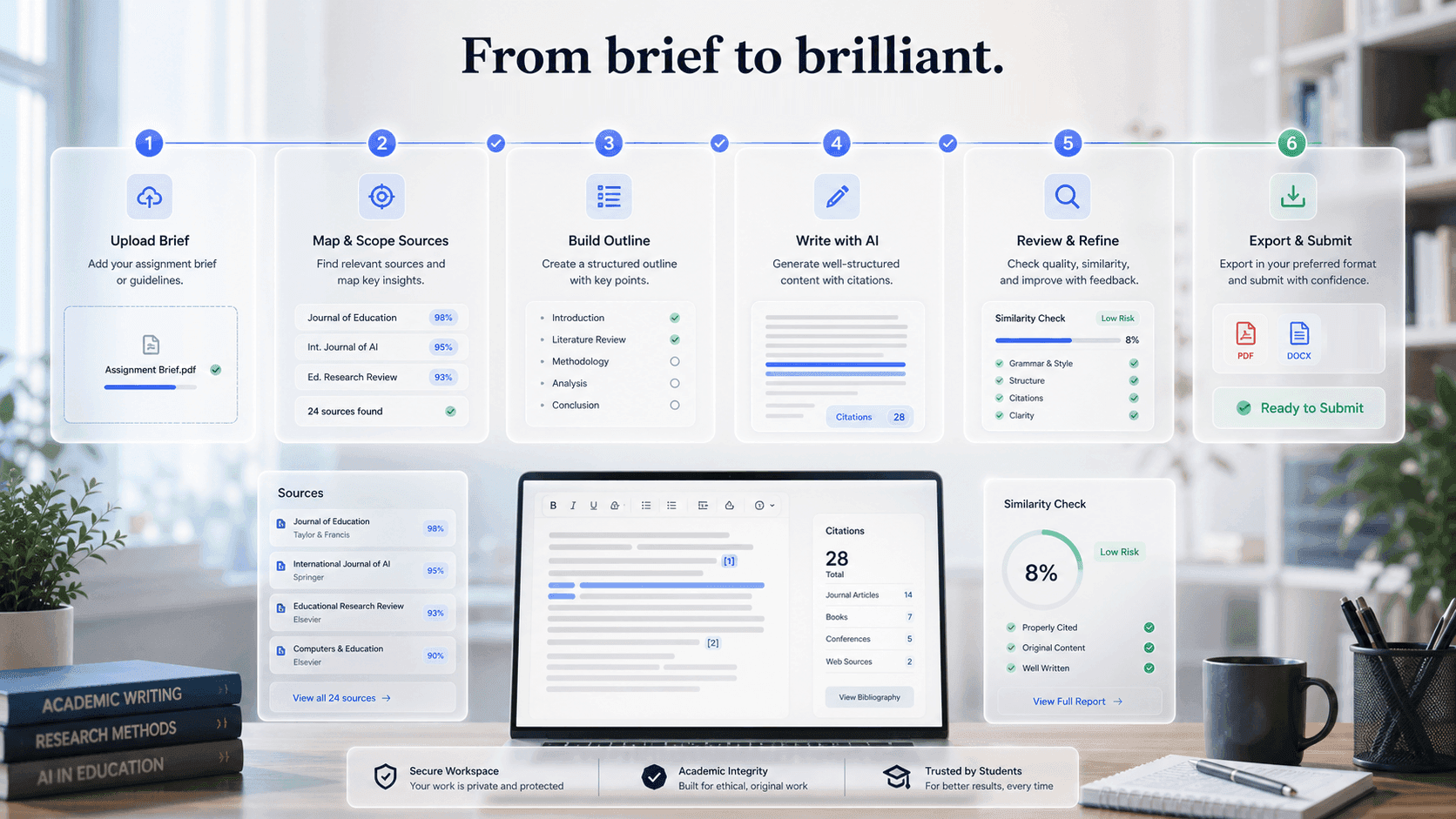
Read and edit every section, check similarity against your sources, and export when you are satisfied.
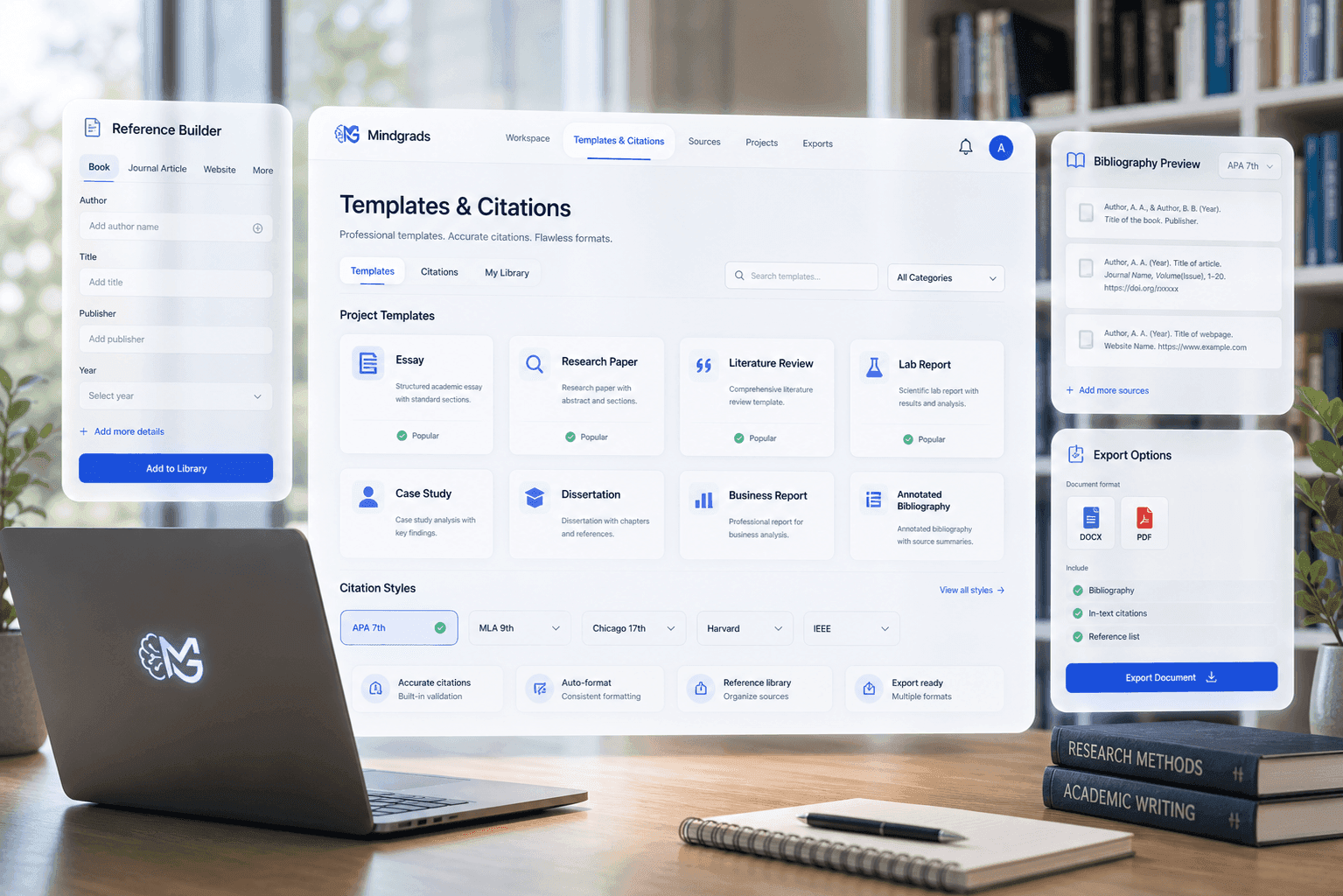
Why Mindgrads
A free readiness check, the price before you pay, citations to your sources, and projects private to you.
4 steps
From your brief to a complete, cited draft
Source-first
Every section cites the sources you upload
Visible
The build price shown before you confirm
Private
Projects and files private to your account
Structured academic momentum
Upload your materials, get a free readiness check, confirm one build at a price you see first, then review, check and export.
Features
A free readiness check, one complete build with citations, an editor for every section, a similarity check against your sources, and export.
Tap a feature on the right to see where it sits in the build journey.
For students
Each step is shown before it happens: what your sources can support, what the build costs, and what you will get.
Add your assignment brief, then any readings, lecture notes or links you want used. Your sources stay private to the project.
Mindgrads reads the brief against your sources and tells you whether they can support the document, and what to add if not. The check is free.
See the price, the word range and your balance before you pay. One confirmation builds the whole document, section by section, while you get on with something else.
Read and edit every section with its citations, run a similarity check against your uploaded sources, and export when you are satisfied.
Academic integrity
What a build does not do, stated before you sign up.
Mindgrads is designed around academic workflow control, not one-off prompt output.
| Capability | Mindgrads | Generic chat tools |
|---|---|---|
| Brief understanding | Your brief is checked against your sources before you pay | Manual prompting and repeated context setup |
| Source control | Your documents and links stay private to the project | Sources can be lost between prompts |
| Complete document | One confirmed build writes every section with citations | Section-by-section prompting and copy-paste |
| Similarity check | Compared with your uploaded sources, with the limits stated | Limited |
| Price visibility | The build price and word range shown before you confirm | Usage often hidden behind chat sessions |
Mindgrads
Your brief is checked against your sources before you payGeneric chat
Manual prompting and repeated context setupMindgrads
Your documents and links stay private to the projectGeneric chat
Sources can be lost between promptsMindgrads
One confirmed build writes every section with citationsGeneric chat
Section-by-section prompting and copy-pasteMindgrads
Compared with your uploaded sources, with the limits statedGeneric chat
LimitedMindgrads
The build price and word range shown before you confirmGeneric chat
Usage often hidden behind chat sessionsWhy Mindgrads
The price is shown before you pay, every section cites your sources, and you read, edit and check the draft before you export it.
Every step starts from your brief and project materials.
A free readiness check says whether your sources can support the document, and what to add.
One build writes every section with citations, in an editor you control, ready to check and export.
Workflow examples
Explore representative paths for reports, dissertations, and weekly assignments—from the first brief to a review-ready export.
Product illustrations, not customer testimonials
Choose a workflow
Scenario 01 / 03
Brief to a complete draft
Upload the brief and readings, see what the readiness check says is missing, and confirm one build at a price you see first.
Representative product workflow
Designed around your work
The workflow adapts to the scale of the project without changing how students stay in control.
Upload the brief and your readings, check readiness, and have a complete, cited draft to work on the same evening.
Sections, tables and charts built from your sources, with in-text citations you can check against each one.
Long documents are built section by section to your word target, and you can leave while the build runs.
Pricing
Plans unlock workspace depth and assisted writing capacity. Checkout on the pricing page confirms the live amount for your region.
1 complete AI build a month at standard length, using your 50 monthly credits. Documents up to 4,000 words, and your credits fund one at that full length. Edit your workspace by hand, surface research, watermarked PDF preview/export, and watermarked basic charts and figures. AI editing tools need Pro.
$0
No card needed
Around 5 complete AI builds a month at standard length, using your 250 monthly credits. Documents up to 20,000 words, and your credits fund one at that full length. Deep research, PDF and DOCX export, and limited charts and figures.
$18.99
Billed monthly
Around 12 complete AI builds a month at standard length, using your 520 monthly credits. Documents up to 56,000 words, and your credits fund one at that full length. Ultra-deep research, dissertation and thesis mode, advanced visuals, and priority queue. Top up with extra credits any time.
$36.99
Billed monthly
FAQ
Mindgrads turns your assignment brief and sources into a complete, cited draft. You upload your materials, a free readiness check tells you whether they can support the document, and you confirm one build at a price you see first. Mindgrads then writes every section with citations, and you read, edit, check similarity against your uploads, and export.
No. A build starts from your brief and your sources, cites them in the text, and checks its own citations before you see it. It is a draft for you to read, verify and edit, and you remain responsible for what you submit.
Students working at Sixth Form / College, Undergraduate, and Masters level. The workspace adapts its structure and academic expectations to the level you select during onboarding.
Builds and AI actions use credits. The Free plan includes 50 credits a month, Pro Student and Pro+ Research include more, and you can top up with credit packs. The price of a build is shown before you confirm it, and AI actions show their cost before they run.
A new assignment build of 2,000–4,000 words costs 42 credits when the AI writes the whole document. That price covers everything the build needs: reading your sources, any required research, charts and tables, citation and quality checks, and repairs when a check fails. Your credits are held once per build: refreshing, pressing build again or a retry on our side does not hold them a second time. A finished document is charged only once it passes its checks. If a build stops because of a problem on our side, you can resume it for free for 14 days (up to 3 times), and completed sections are kept. If you do not resume it, you pay only for the sections it delivered and the rest comes back to you. If it finishes but never passes its checks, or delivers nothing, all 42 credits come back. Longer documents are priced by length: 42 credits for the first 4,000 words and 34 for each further 4,000 at the current standard rate (8,000 words: 76 credits; 12,000 words: 110 credits; 20,000 words: 178 credits). Shorter pieces are priced as one band. Some documents have sections only you can write, such as your own method, results, reflection or progress. The build leaves those for you and charges a quarter of the full price for the work every build does, plus the rest in proportion to the share the AI writes. A lab report where you write the method, results, discussion and conclusion costs 16 credits rather than 42. The quote shows the exact price before anything is held. Separate actions you choose yourself, such as paragraph rewrites, AI chat or a new build after you change the brief, word target or document type, are priced on their own and show their cost before they run.
Free: Watermarked preview/export only. Pro Student: PDF + DOCX + PPTX. Pro+ Research: PDF + DOCX + PPTX + Markdown. You can read and edit the document in the workspace on every plan before you export it.
No. The similarity preview compares against your own uploaded project sources only — it is not a plagiarism service. Always run your institution’s designated originality checker and follow its AI-use rules before submitting.
Your projects and files are private to your account. Uploads are stored in private buckets and served through short-lived, signed links — other users cannot access them.
Yes, on every plan. Structure, sections, citations, and the final document stay under your control in an editable workspace right up to export. A draft a finished build delivers opens ready to edit; anything else opens after a similarity check, and Free includes one a month. On Free you edit by hand; AI editing tools (outline generation, rewriting, citation suggestions, evidence checks and chat) need Pro, and Free exports a watermarked PDF only.
Yes. Subscriptions run until the end of the current billing period and are managed securely through Stripe — no charges after you cancel, and your current plan stays active until it ends.
Ready workspace
Upload your materials, get a free readiness check, and confirm one complete build when you are ready.